Quick Walkthrough (60–90 seconds)
See the complete workflow — from estimate to validated quote
Video walkthrough
Coming soon
Step 1
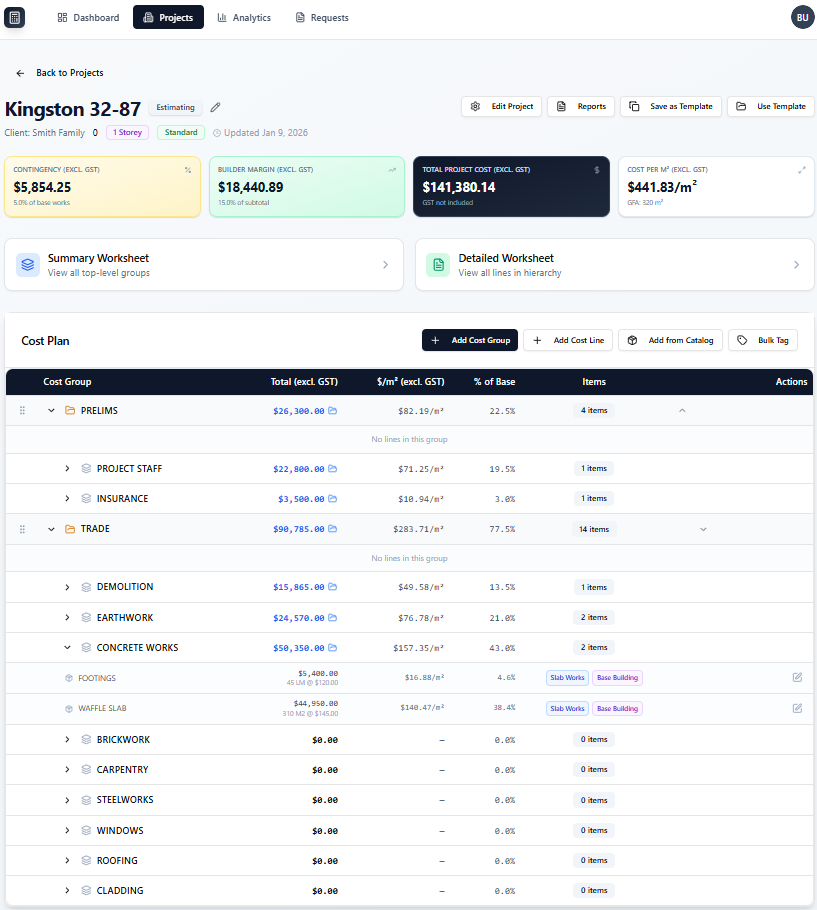
A structured cost plan — not a spreadsheet
Your estimate is organised into groups and line items. Quantities, units, and rates — all in one place. No hidden columns. No formula errors. No formatting chaos.
Step 2 — The Key Feature
This is where pricing mistakes get caught.
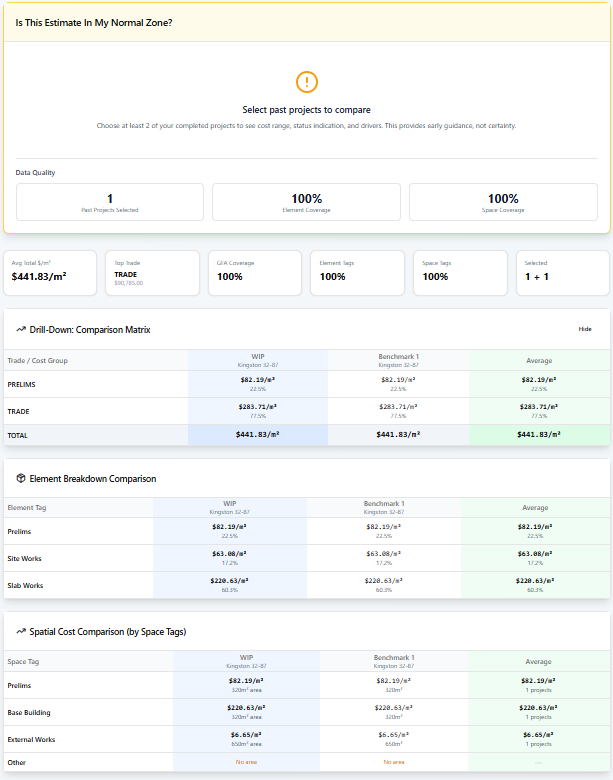
BuildCostIQ compares every line item against your own past jobs. You see which items are too high, too low, or out of line — before anything goes to the client.
Your history — not industry averages
The benchmark is your own past work. What you actually charged. What you actually built.
Flags the outliers instantly
Too high. Too low. Missing rate. You see it in seconds, not after an hour of cross-checking.
You make the call
BuildCostIQ shows the variance. You decide if it's intentional or a mistake to fix.
Step 3
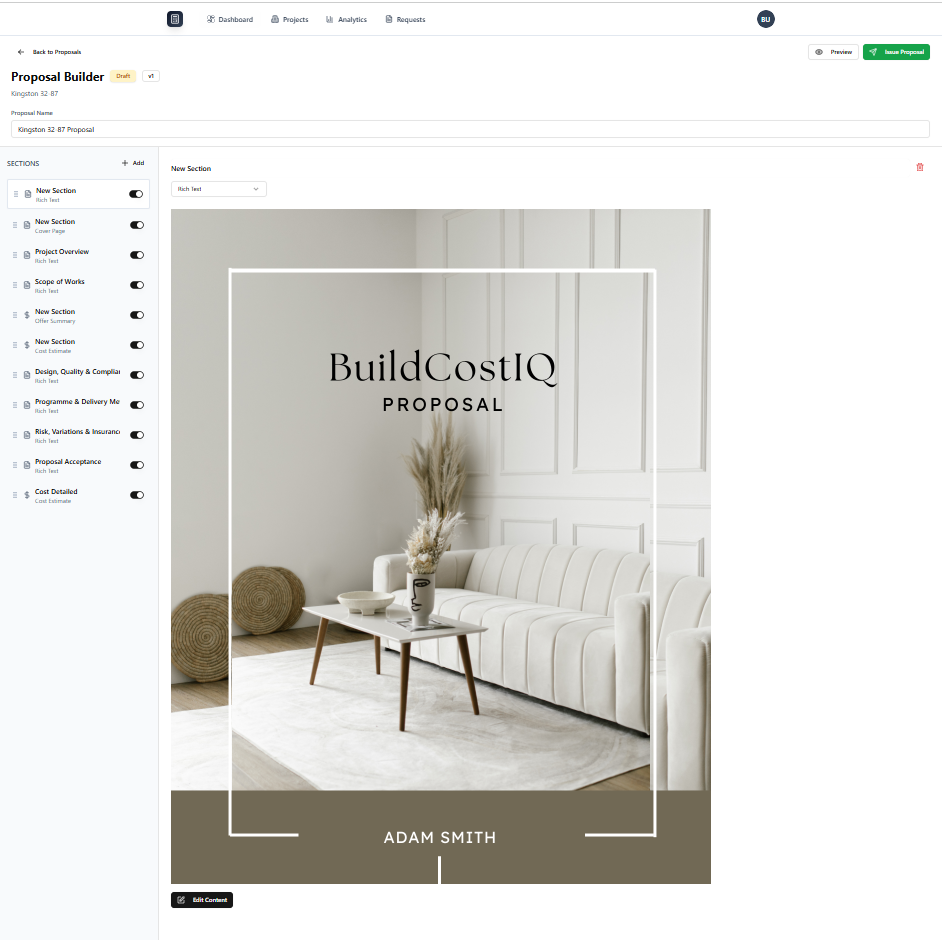
A proposal that's ready to send — not ready to format
The proposal pulls its data directly from your cost plan. The numbers are already there. The allowances are already there. You add your cover page, check the inclusions, and send.