How BuildCostIQ Helps You Price Better
Five pillars. One system. No double handling.
Structure
Estimates built on a consistent structure are easier to check, easier to compare, and easier to convert into proposals. BuildCostIQ gives you a framework — not a blank spreadsheet.
- Cost plans with hierarchical groups and line items
- Line items classified by building element and space
- Reusable templates for your most common project types
- Consistent format across every job, every estimator
- Automatic margin and contingency calculations
Your structure. Your groups. Consistently applied.
Efficiency — No Double Handling
The biggest time waste in estimating isn't the estimate itself — it's retyping the same numbers into a proposal, then again into a contract. BuildCostIQ eliminates that entirely.
- Estimate data flows directly into your proposal
- Cost totals, allowances, and exclusions auto-populated
- Edit in one place — updates everywhere
- Templates mean your structure is ready before you start
- Minimal clicks from estimate to client-ready document
Old way vs BuildCostIQ
Check — Pricing Validation
Before you send a quote, BuildCostIQ compares every line item in your estimate against the same items from your past completed jobs. You see instantly where your pricing is out of line — and by how much.
This isn't generic industry data. It's your own pricing history — the most relevant benchmark you have.
You may be pricing yourself out. Check if the specification justifies it.
You may be leaving money on the table — or heading for a loss.
Your pricing is consistent with your past work. Proceed with confidence.
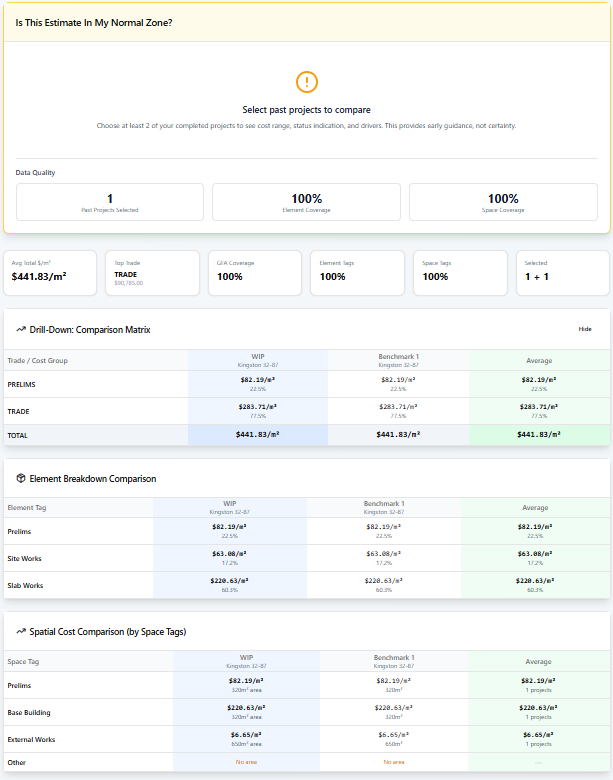
You decide what to change. BuildCostIQ just makes the problem visible.
Present — Professional Proposals
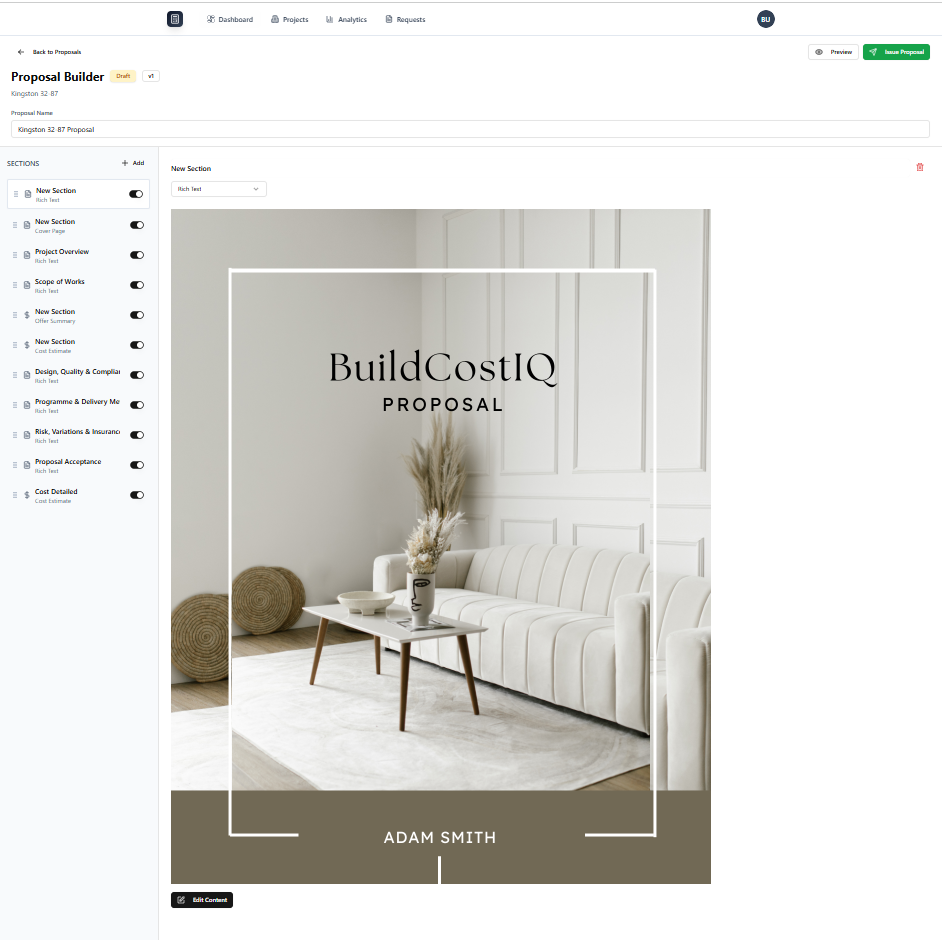
Your proposal is pulled directly from your cost plan. No retyping. No copying numbers. The structure, totals, allowances, and exclusions are already in the right place.
- Cover page with your branding and project details
- Cost estimate section (summary or detailed view)
- Allowances schedule — auto-populated from your revision
- Exclusions list — clear and formatted
- Clarifications and assumptions
- Inclusions schedule with images
- Secure client share link (no login required)
- PDF export for printing or email
Contract — Structured Building Contract
Convert your approved proposal directly into a structured building contract — with scope, inclusions, allowances, and pricing already in place. No retyping. No duplication. Just clean contract generation.
- Converts directly from your accepted proposal
- Scope, inclusions, and allowances pre-populated
- Structured contract template system
- No re-entry of data you've already captured
Takeoff — Measure Direct from Drawings
Measure directly from drawings, generate quantities instantly, and link takeoffs directly to your estimates. Built for speed, accuracy, and real-world workflows.
This feature is currently in development. Builders who join now will receive early access when Takeoff launches.