From Estimate to Contract — Without Rework.
Four steps. One system. Enter your data once.
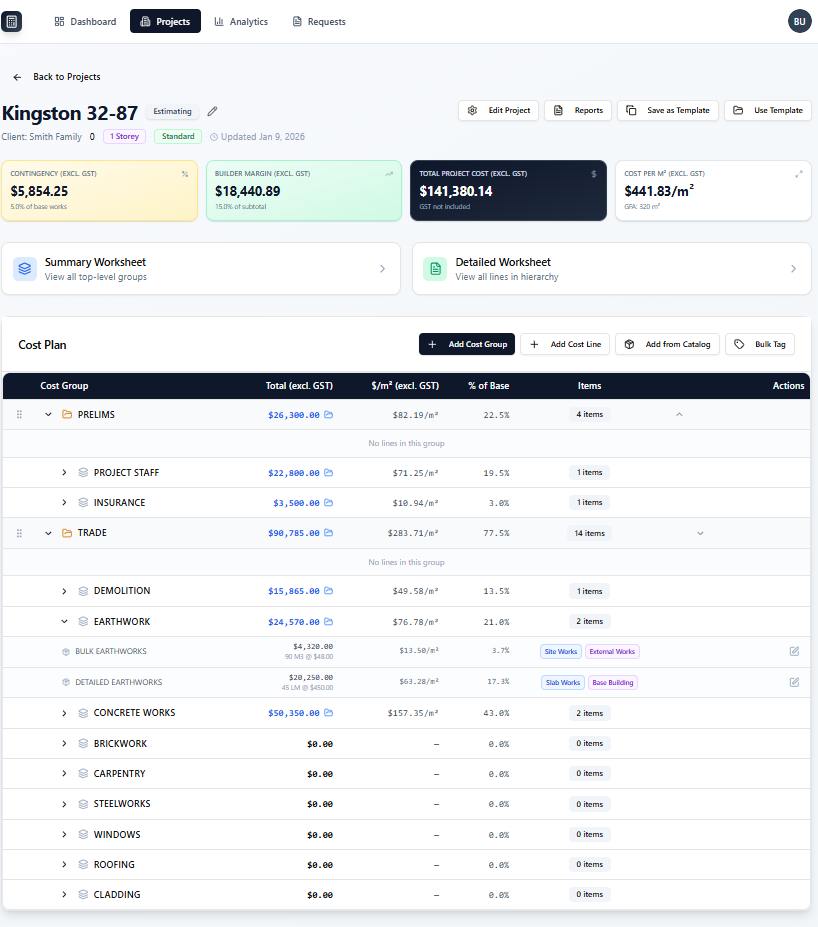
Build your cost plan.
Add your groups and line items — quantities, units, and rates. Use a template to go faster, or start from scratch. Either way, it's structured from the beginning.
Takes minutes, not hours.
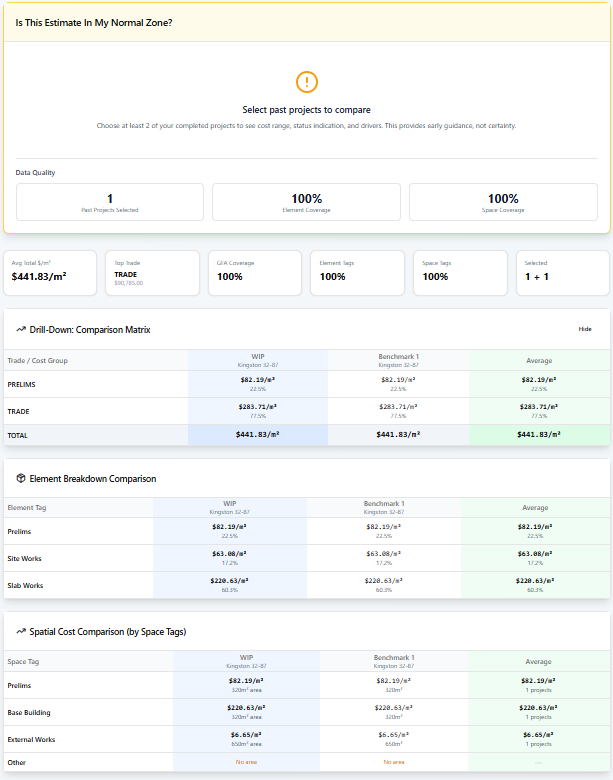
Check your pricing before you commit.
BuildCostIQ compares your estimate against your past jobs. You see instantly which items are too high, too low, or out of line — before anything leaves your desk.
Your history. Your benchmark.
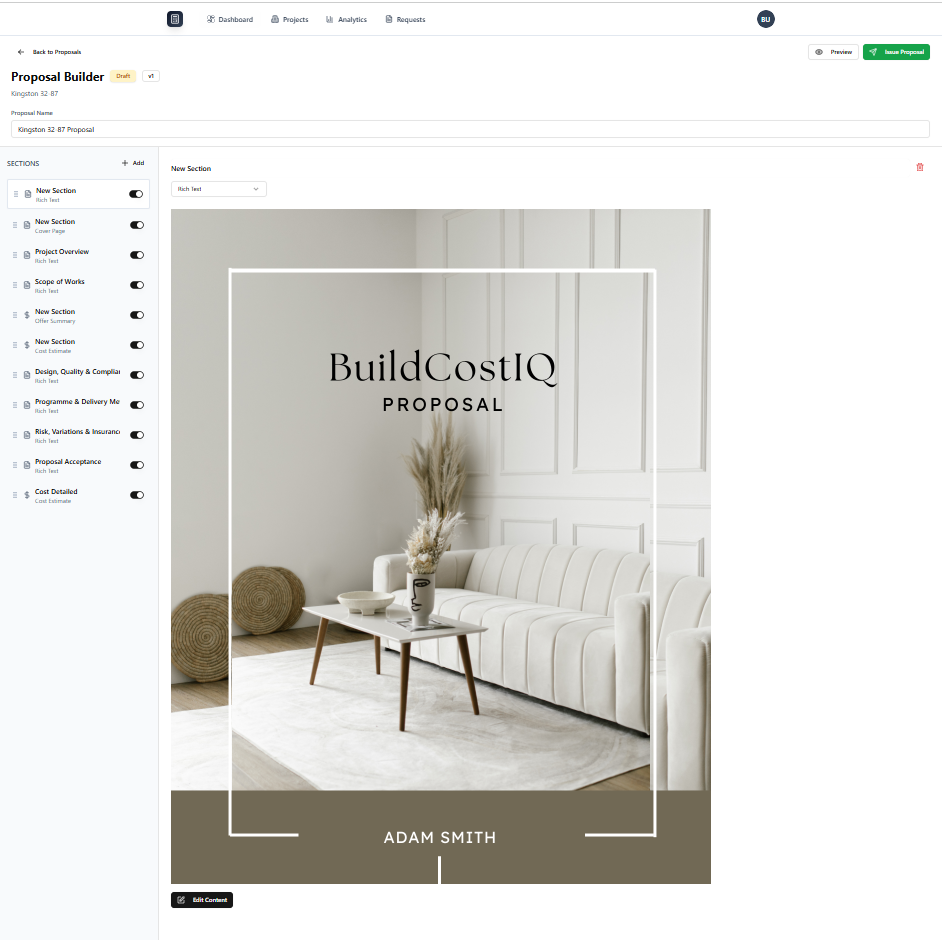
Generate a professional proposal instantly.
Your proposal is built directly from your cost plan. Cost totals, allowances, exclusions, and inclusions are already in place. Share with a secure link or export to PDF.
No retyping. No reformatting.
Convert to a building contract.
When the proposal is accepted, convert it directly into a structured building contract — with scope, inclusions, and pricing already in place. No retyping. No duplication.
Available now.
No screenshot yet — feature live in app
Takeoff — Coming Soon.
Measure directly from drawings, generate quantities instantly, and link takeoffs directly to your estimates. Built for speed, accuracy, and real-world workflows.
Coming soon — early access for current users